
Poof
Make room on your Mac.
Poof finds the caches, logs, build leftovers and forgotten files that apps pile up — and removes only what you choose. Scanning is always free.
For macOS 14 Sonoma and later.
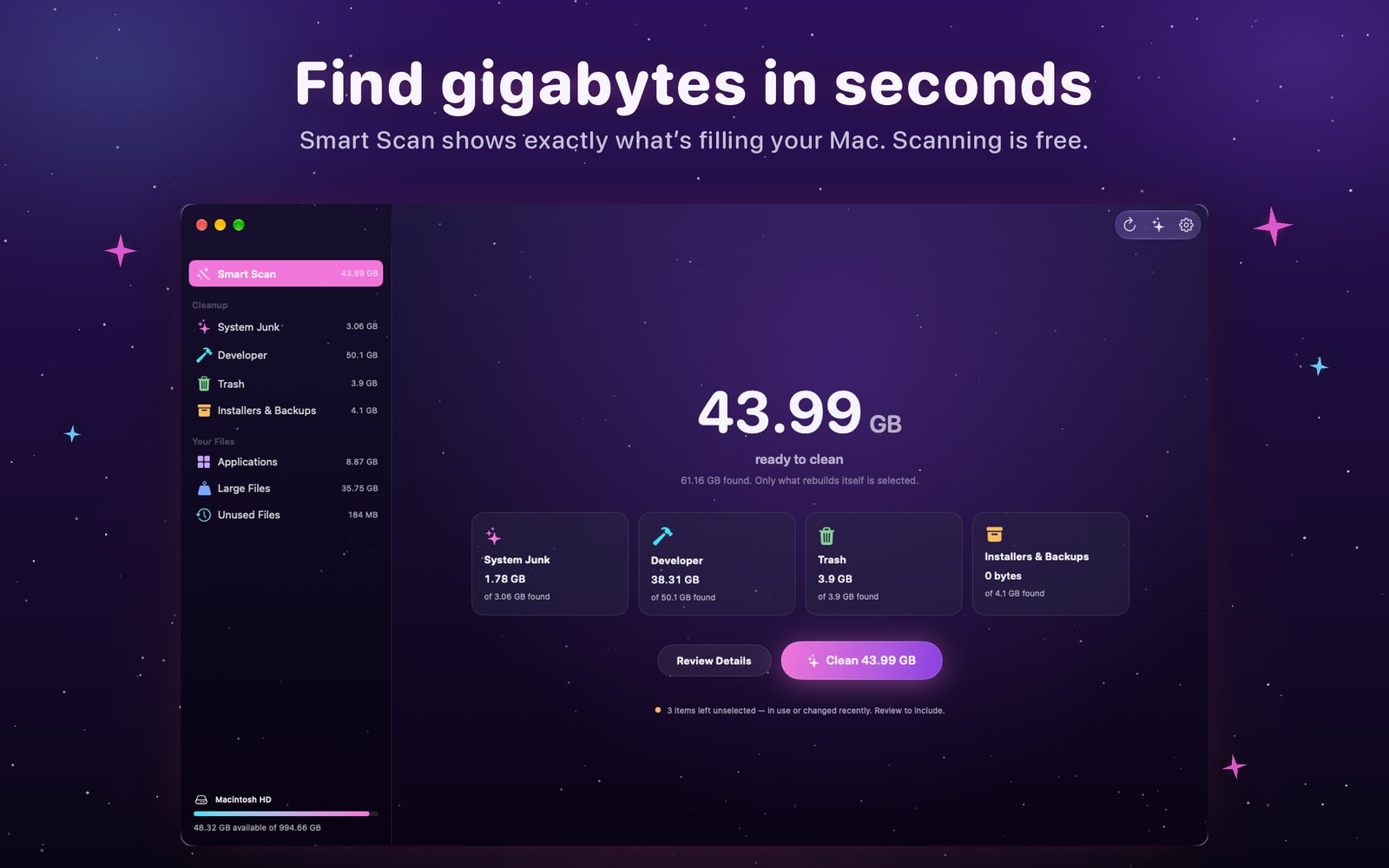
See everything first
Smart Scan shows exactly what’s taking space, what each item is and which app it belongs to — in seconds.
Safe by design
Only what rebuilds itself is selected. Anything in use or changed recently is left alone, and your documents are never touched.
Made for developers, too
Xcode DerivedData, device support, archives and the caches of npm, Homebrew, CocoaPods, Gradle, Cargo and more.
Keeps watch
Free space in your menu bar, and a heads-up when your Mac runs low — with an estimate of what you could clean.
Support
Poof asks for my Home folder
The Mac App Store edition runs in Apple’s App Sandbox, so macOS asks you to choose your Home folder once. Poof reads only names, sizes and dates to find what can be cleaned, and removes nothing until you confirm.
What is Full Disk Access for?
It is optional. With it, Poof can also look at the Trash, Mail downloads and app container caches. Turn it on in System Settings › Privacy & Security › Full Disk Access.
Poof Pro, restoring and cancelling
Scanning is free; cleaning needs Poof Pro — weekly, yearly or lifetime. To bring back a purchase on another Mac, choose Restore Purchases on the plans page or in Poof › Settings. Manage or cancel a subscription in your App Store account settings.